Automatic cloud sync
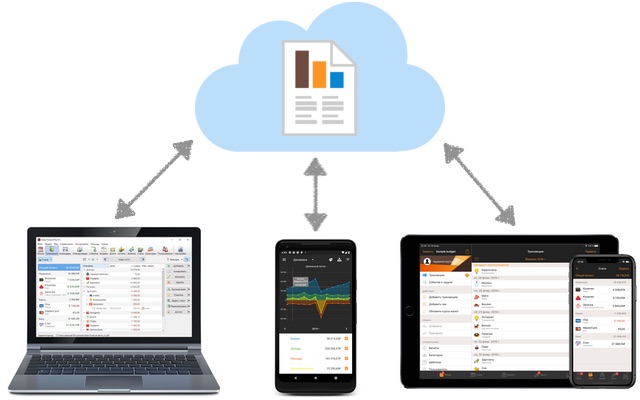
Several users can work with a single database simultaneously. Enable automatic sync in the app settings then send the database file to your family or colleagues via email, WhatsApp, etc (to do this, click Share button near the file name). All changes they're making in their copy will appear on your device within a few seconds and vice versa.
You can also download your file from the cloud, if corresponding option is set in the sync settings. In this case in the cloud will be several copies of the database file for the last 30 days. In another case database file won't be uploaded to the cloud and current changes only will be transferred.
If changes aren't appear automatically, click "Sync now" button. In the sync settings also check that file name and account are the same on all devices and "Automatic sync" option is enabled.
Syncing via your own server
You can set up syncing via your own server. Any hosting that supports PHP 7.4 or higher and HTTPS is suitable.
- Download the PHP script archive from our website.
- Unzip the archive and replace the account and password with your own information in the index.php file.
- Upload the index.php and .htaccess files to any folder on your website. Make sure the script has read and write permissions to the parent directory so it can create the /data and /backup folders.
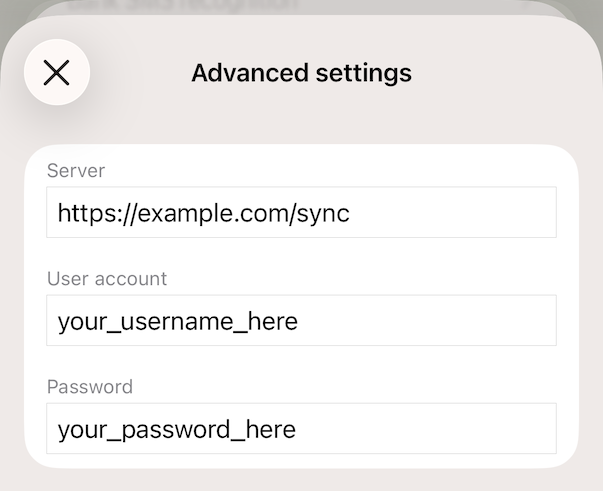
- In the advanced sync settings, enter your server address, account and password exactly as in the index.php file in step 2.
- We recommend enabling the "Keep a backup copy in the cloud" option, especially if the program is used infrequently on a particular device.
Share a budget through third-party cloud services, local network, NAS, etc.